
Video Carousel: 9 Smart Ways to Boost Engagement
Discover video carousel strategies to boost engagement with 9 smart ideas, platform tips, and creator workflows that save time today.
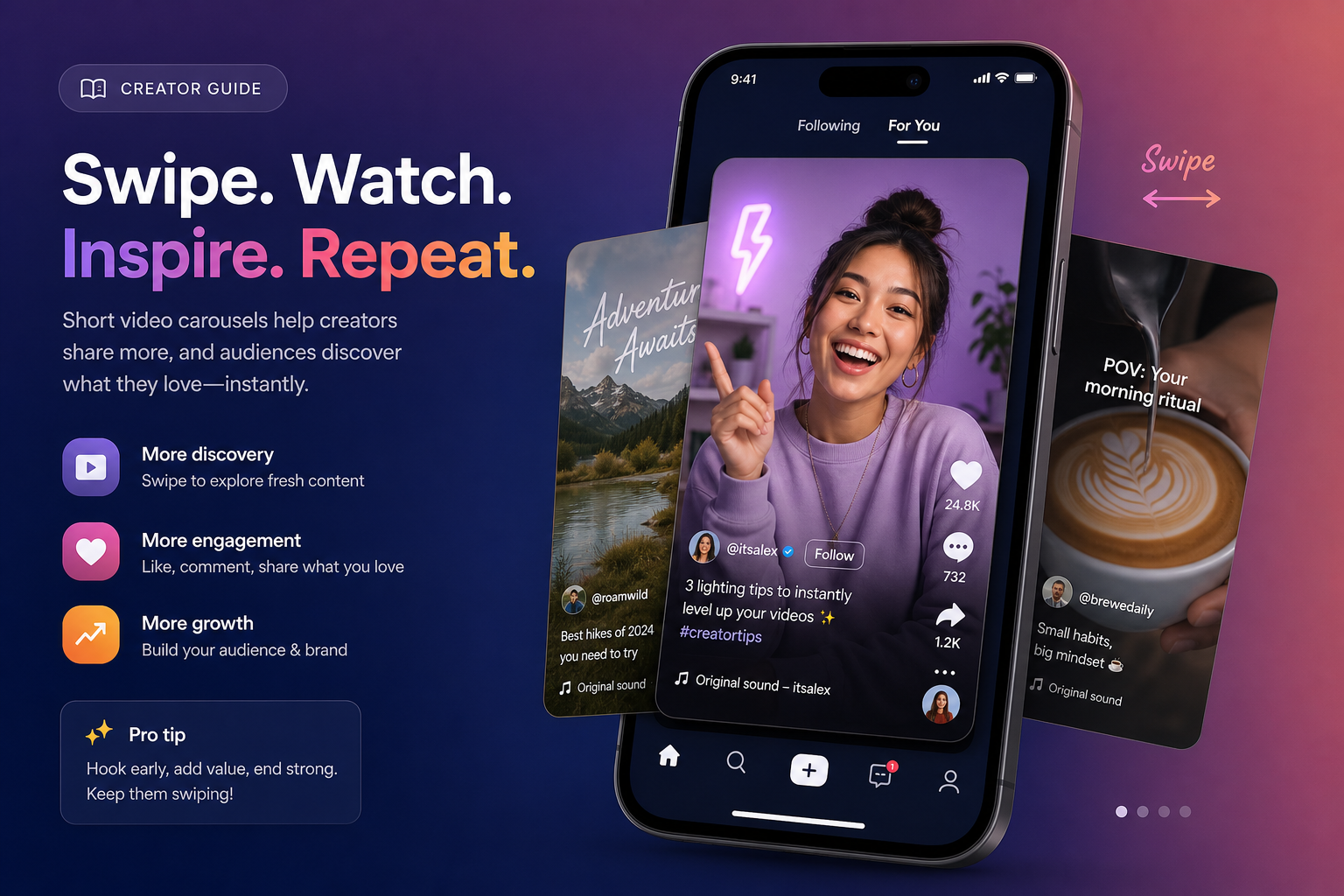
If your content is getting views but not enough saves, shares, comments, or clicks, the problem is often the format, not the idea. A video carousel gives you a smarter middle ground between static carousels and standalone short-form clips: it is swipeable, story-driven, visual, and built to keep attention moving.
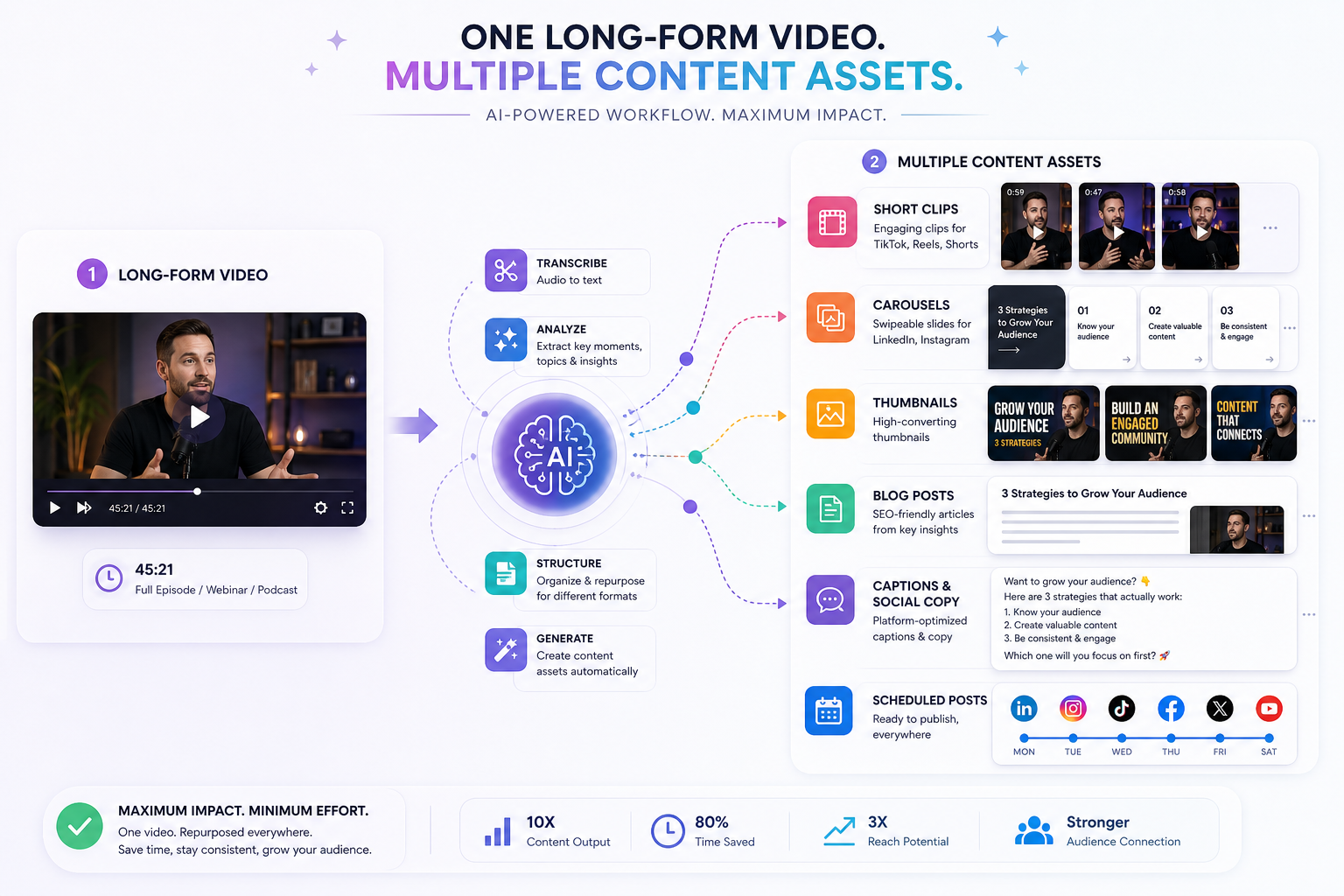
For creators, podcasters, YouTubers, marketers, startups, and social teams, that matters. You already have long-form raw material. The real challenge is turning one recording into multiple high-performing assets without juggling clipping tools, editing apps, caption writers, thumbnail generators, design software, and scheduling platforms. That is exactly where a platform like Clipo AI changes the game — helping you turn one recording into up to 20 content assets fast, including clips, carousels, captions, images, thumbnails, blogs, and scheduled posts from one workflow.
In this guide, you will learn what a video carousel actually is, why it performs so well across modern social platforms, and 9 smart ways to use it to boost engagement without burning out your production pipeline.
"Instagram carousels have an average engagement rate of 1.26%, surpassing single images at 0.98%." — Caroubolt
"Carousel posts generate two to three times more engagement than single-image posts across major social media platforms." — PVStory
What Is a Video Carousel?
A video carousel is a swipeable multi-slide post where the slides include video clips, motion panels, or a mix of short video and supporting visuals. Instead of forcing one clip to do all the work, a video carousel lets you break a message into multiple attention checkpoints.
That gives you more room to:
- hook the viewer on slide one
- explain a process step by step
- compare ideas or results
- show transformations
- stack proof, context, and CTA in one post
In practical terms, a video carousel can look different depending on the platform:
| Platform | Typical Format | Best Use Cases |
|---|---|---|
| Multi-slide post with video and image cards | Tutorials, product storytelling, mini case studies | |
| PDF-style carousel or motion-led educational slides | Thought leadership, frameworks, B2B explainers | |
| Carousel posts and ads with video/image cards | Product promos, ecommerce storytelling | |
| TikTok / short-form ecosystems | Swipeable photo/video storytelling variants | Trends, explainers, punchy sequences |
The real strength of the format is simple: it creates momentum. Viewers do not passively watch one asset. They actively move through a sequence.
Why Video Carousels Matter More Than Ever
Social platforms reward formats that keep people engaged longer. A video carousel naturally increases dwell time because each swipe is a micro-commitment. It also gives you more opportunities to create a payoff.
Why creators and brands are leaning into video carousels
- More space to educate without overwhelming one frame
- More visual variety than a static carousel
- More replay and save potential than a one-and-done image post
- Better repurposing potential from podcasts, webinars, interviews, and YouTube content
- Stronger omni-channel use, especially when adapted across Instagram, LinkedIn, TikTok-style feeds, and Facebook
This is where most teams hit a wall: they know the format works, but production gets messy. Pulling clips, rewriting headlines, adding subtitles, designing slides, generating thumbnails, writing captions, and scheduling posts across channels quickly becomes a bottleneck.
Clipo AI solves that by combining clip generation, editing, writing, thumbnails, carousels, images, and scheduling in one place. That means you can move from one long-form recording to a complete multi-asset publishing workflow without switching tools every 10 minutes.
What Competitors Usually Miss About Video Carousels
A lot of content around carousel strategy focuses on general Instagram advice. That is useful, but incomplete. The bigger opportunity is not just "make better slides." It is this:
The real content gap: video carousel strategy should start with repurposing
Most articles miss the operational side:
- how to turn one long video into multiple video carousel concepts
- how to choose the right moments from a recording
- how to adapt the same idea across multiple channels
- how to keep brand consistency while still moving fast
- how to combine automation and manual creative control
That is exactly why Clipo AI is relevant here. It is not just a clipping tool. It is a content repurposing engine built for creators and teams who want to scale output without sacrificing voice, visual quality, or speed.
The Anatomy of a High-Performing Video Carousel
Before jumping into the 9 smart ways, it helps to understand the structure that makes this format work.
1. A scroll-stopping first slide
Your opener needs a clear promise, tension point, or surprising claim.
Examples:
- "3 edits that doubled our watch time"
- "Why your content gets views but not saves"
- "What happened after we changed one hook"
2. Motion with purpose
Do not add video just because you can. Use movement where it creates clarity, emotion, proof, or contrast.
3. One idea per slide
A cluttered carousel kills completion. Keep each slide focused.
4. Narrative momentum
Every slide should make the next one feel necessary.
5. A tight CTA
Ask for one clear action:
- save this
- comment a keyword
- share with your team
- watch the full episode
- click through to learn more
9 Smart Ways to Use a Video Carousel to Boost Engagement
1. Turn a Long-Form Recording Into a Mini Tutorial
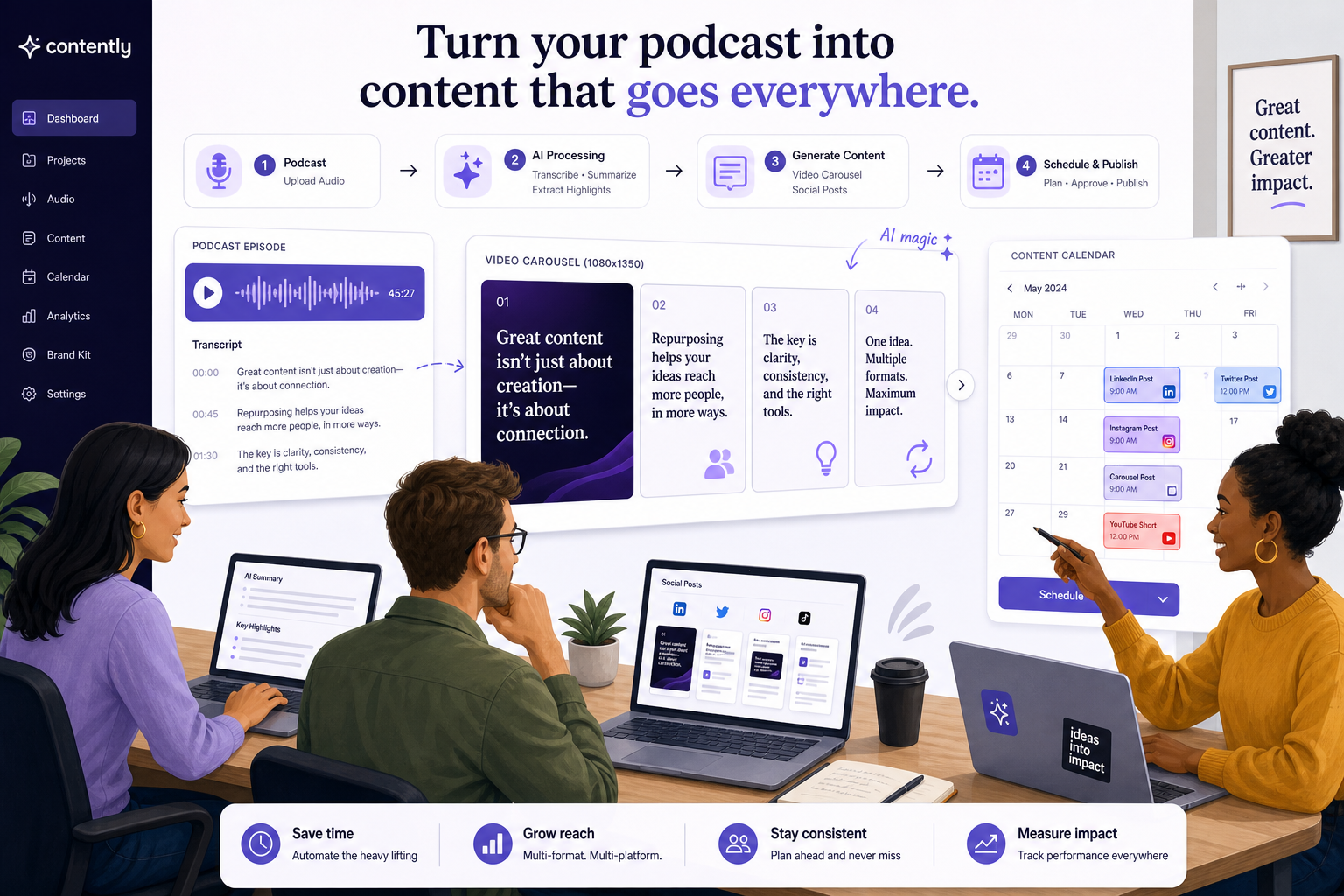
One of the strongest uses of a video carousel is breaking a long explanation into a short, swipeable tutorial. Instead of posting one dense clip, you segment the lesson into multiple steps.
Why it works
People want fast wins. A tutorial carousel feels easier to consume than a five-minute video, especially on mobile.
Best use cases
- podcast clips turned into actionable steps
- webinar takeaways
- software demos
- creator workflows
- marketing frameworks
Smart structure
- Slide 1: Hook with the result
- Slide 2: The problem
- Slides 3–6: Action steps with short video examples
- Final slide: CTA to save or watch full content
With Clipo AI, this process gets dramatically faster. You can upload one recording, let AI identify strong moments, then build short-form assets and carousel-ready sequences from the most useful sections instead of scrubbing through footage manually.
2. Build a Swipeable Before-and-After Story
A video carousel is perfect for transformations because motion adds proof. Static screenshots can work, but short clips make the "after" more believable and emotionally engaging.
Great examples
- branding redesigns
- editing transformations
- product results
- workout progress
- content performance improvements
Why this boosts engagement
Transformation content triggers curiosity. People want to know:
- what changed
- how it changed
- whether they can repeat it
Use short clips to show the starting point, process snapshots, and final result. If you have testimonial footage or reaction clips, even better.
3. Compare Two Strategies Side by Side
Comparison content is naturally swipeable. A video carousel lets you show X vs Y with clearer context than one video alone.
Examples
- short-form video vs video carousel performance
- organic posting vs scheduled content systems
- manual editing vs AI-assisted repurposing
- weak hook vs strong hook
- content that educates vs content that sells
Why it performs
Comparison posts create instant tension. The audience wants to know which one wins and why.
A smart format here is:
- Slide 1: "A vs B: which gets better engagement?"
- Slide 2: what most people assume
- Slide 3: real result
- Slides 4–6: breakdown
- Final slide: takeaway or CTA
This is also where Clipo AI fits naturally in the story. Many teams are still using disconnected tools for clipping, editing, writing, thumbnails, and scheduling. A comparison carousel can clearly show how an all-in-one workflow reduces time, tool sprawl, and production friction.
4. Repurpose a Podcast Into Quote-Led Motion Slides
Podcasters have a huge opportunity with video carousel content. You do not need every output to be a talking-head clip. Some of the best-performing assets are short quote-led slides with subtle motion, waveform snippets, or supporting visuals.
Why this works
A good podcast usually contains:
- punchy opinions
- emotional lines
- surprising insights
- memorable soundbites
These are ideal for:
- quote hooks
- mini thought leadership decks
- controversial takes
- "what I wish I knew" sequences
Instead of publishing only one audiogram, use Clipo AI to find keyword-based and visual moments, generate multiple clips, and turn standout lines into an entire series of swipeable assets that match your brand voice.
5. Create a Product Walkthrough Without Making It Feel Like an Ad
Product demos usually fail when they feel too salesy. A video carousel lets you frame the product through the lens of usefulness, not just promotion.
Strong format
- Slide 1: The pain point
- Slide 2: What most people struggle with
- Slides 3–5: product in action via short video snippets
- Slide 6: result or time saved
- Final slide: CTA
Best for
- SaaS onboarding
- ecommerce feature callouts
- creator tool stacks
- AI workflow demonstrations
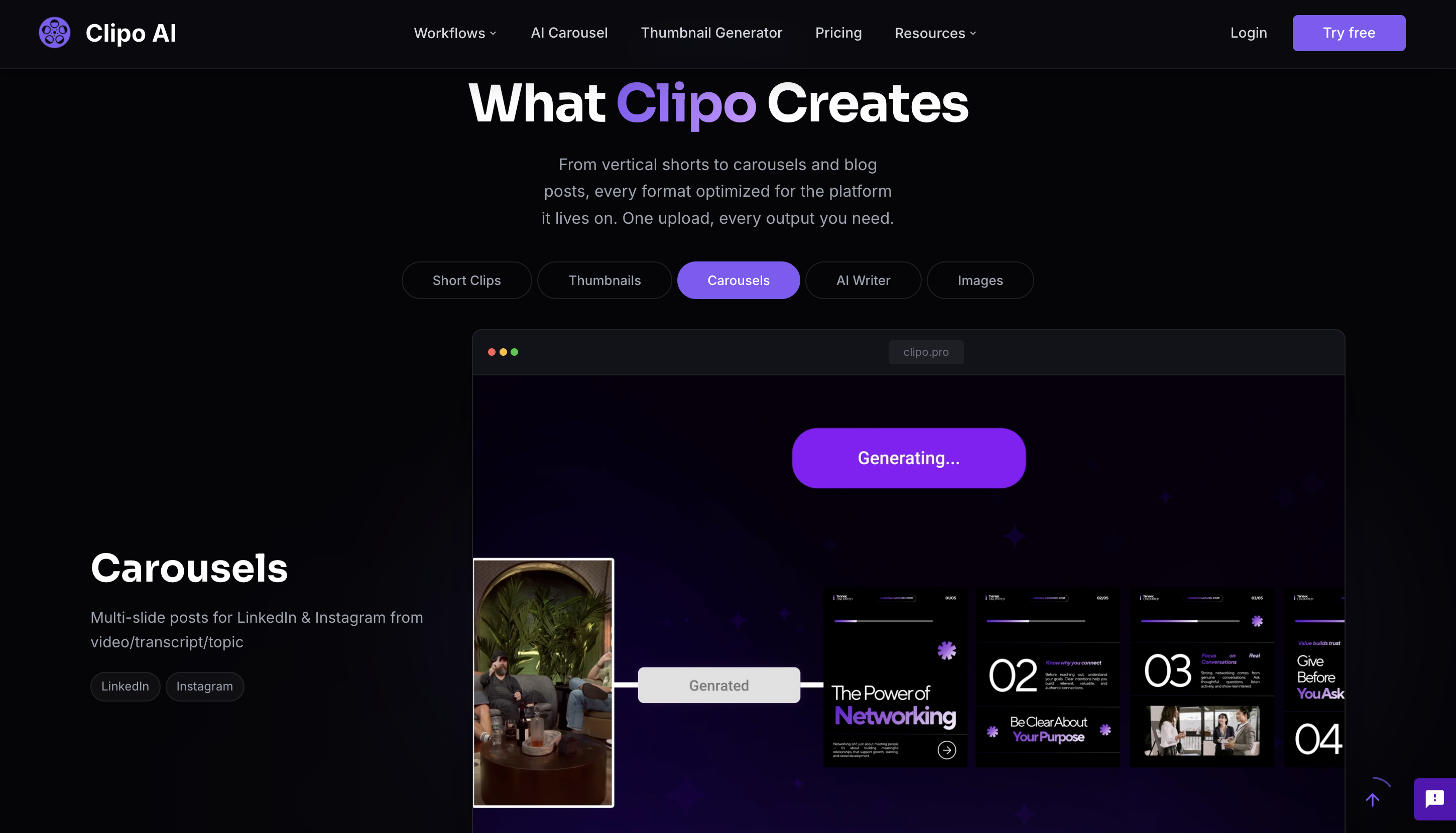
If you are showing how content repurposing actually works, Clipo AI makes a compelling example because it covers the full chain: clip discovery, editing, subtitles, writing, thumbnails, carousels, image generation, scheduling, and publishing. That is a much stronger story than a single-purpose "AI clipper" tool.
6. Turn Data or Insights Into Motion-Led Micro Infographics
Educational content performs best when it is easy to scan. A video carousel can turn otherwise dry information into a high-retention format.
Use this for
- campaign results
- social media benchmarks
- audience insights
- content experiments
- creator business lessons
Why it wins
Short movement attracts attention, but multiple slides make the information easier to digest. Instead of one crowded graphic, each card handles one point.
A strong tip here: lead with the most surprising number first.
7. Use Episodic Carousels to Train Your Audience
Consistency is not just about posting frequently. It is about making your audience recognize a repeatable content format.
Examples
- Weekly Content Fix
- 3 Clips That Worked
- This Week's Creator Lesson
- Hook Breakdowns
- Marketing Moves We'd Steal
Why this boosts engagement
Recurring formats reduce friction for the audience. They know what to expect, which increases repeat consumption and saves.
Clipo AI is especially useful for recurring series because it helps teams create repeatable asset pipelines from existing recordings. Instead of starting from scratch every week, you can turn each episode, interview, webinar, or Loom into a predictable stream of clips, carousels, copy, and publish-ready assets.
8. Mix Short Video With Static Slides for Better Retention
A common mistake is assuming every slide should be video. In reality, a stronger video carousel often mixes moving and static slides strategically.
Best practice mix
- motion for emotion, proof, or demonstration
- static slides for summaries, frameworks, or calls to action
- text-led slides to slow the viewer down and increase saves
Why this matters
Too much motion can feel chaotic. The best carousels control pacing. They alternate stimulation and clarity.
This is also a production advantage. You do not need every slide to be edited like a mini commercial. A few smart clips plus well-written support slides often outperform overproduced sequences.
9. Build a Multi-Platform Version From One Core Story
This is the highest-leverage strategy of all. Do not create one video carousel for one platform and stop there. Build one core narrative, then adapt it.
Example workflow
| Asset | Derived From One Recording |
|---|---|
| Instagram video carousel | Hook + 5 swipe slides + CTA |
| LinkedIn carousel | Same lesson, more professional framing |
| Short clip | Best single insight as vertical video |
| Blog post | Expanded teaching point |
| X / social thread | Condensed text takeaways |
| Key insight with CTA | |
| Thumbnail | Used for YouTube or social preview |
| Scheduled cross-platform posts | Published from one calendar |
This is where Clipo AI becomes a real growth system rather than just a creation tool. You can start with one podcast, interview, training, or meeting, then generate a multi-output content engine: clips, writing, thumbnails, images, carousels, and scheduled posts. That is how creators and marketing teams scale without multiplying workload.
Video Carousel vs Single Video: Which Performs Better?
The answer depends on the goal. A standalone short video is often stronger for fast reach. A video carousel is often stronger for deeper understanding, saves, shares, and educational completion.
Quick comparison
| Format | Best For | Strength | Weakness |
|---|---|---|---|
| Single short video | Reach and quick discovery | Fast attention grab | Less room for layered context |
| Static carousel | Education and saves | High clarity | Can feel flat without motion |
| Video carousel | Engagement + clarity + storytelling | Combines movement and swipe behavior | Requires stronger structure |
| Long-form video | Depth and authority | Full context | Higher viewer commitment |
The smartest strategy is not choosing one forever. It is using the right format for the right message, then repurposing that message across formats efficiently.
How to Create a Video Carousel Fast Without Sacrificing Quality
You do not need a bloated workflow to make this format work. You need a system.
A practical workflow
- Start with one long-form asset
Podcast, webinar, interview, YouTube video, client call, or training. - Pull strong moments
Use emotional peaks, how-to sections, surprising quotes, or proof points. - Choose one clear angle
Tutorial, comparison, transformation, insight, or product walkthrough. - Write the slide logic
Hook, progression, payoff, CTA. - Add motion selectively
Only where it improves clarity or attention. - Keep the design consistent
Brand kit, font hierarchy, spacing, and slide rhythm matter. - Publish across channels
Adapt copy and formatting to match each platform.
With Clipo AI, much of this is compressed into one workflow. You can discover clips by keyword or visual moment, generate supporting content, refine writing to match your voice, create visuals, and publish across channels from one platform. That saves serious time and cuts software costs by replacing separate subscriptions.
Best Practices That Increase Video Carousel Engagement
Hook hard on slide one
Your first frame needs a strong promise, friction point, or curiosity trigger.
Keep each slide focused
One message per slide wins.
Design for mobile first
If it is not readable in one second, it is too busy.
Use captions or on-screen text
Silent consumption is common. Make sure the message survives with sound off.
End with a direct CTA
Do not be vague. Ask for one behavior.
Test different lengths
Some ideas need 5 slides. Others need 8 or 10. Do not pad.
Build around saves and shares
The best engagement is not always likes. Educational utility often wins long-term.
Common Video Carousel Mistakes
Even strong creators miss the mark when execution gets rushed.
1. Weak first slide
If the hook does not stop the scroll, the rest does not matter.
2. Too much movement
Motion should clarify, not distract.
3. No slide progression
Random slides feel disconnected and reduce completion.
4. Overwriting
Dense paragraphs kill mobile readability.
5. Repeating the same point
Each swipe should feel like progress.
6. No repurposing system
If every carousel is built manually from scratch, output slows down fast.
That last mistake is bigger than it looks. The teams producing consistently are not necessarily more talented. They simply have better systems. Clipo AI helps solve that by making content repurposing faster, more centralized, and more scalable while still allowing manual creative control where it matters.
How Clipo AI Fits Into a Smarter Video Carousel Strategy
Clipo AI is not just useful because it is fast. It is useful because it aligns with the way modern creators and marketing teams actually work.
Why it fits this use case especially well
- Turns one recording into up to 20 content assets
- Combines clipping, editing, writing, thumbnails, carousels, images, and scheduling
- Reduces time lost switching between tools
- Lowers software spend by replacing multiple subscriptions
- Supports omni-channel publishing
- Offers both AI automation and manual refinement
- Enables keyword-based and visual clip discovery
- Helps generate writing aligned to your voice
- Simplifies short-form content production for solo creators and teams
That matters because a high-performing video carousel is rarely a one-off asset. It is usually part of a broader publishing strategy. Clipo AI helps you create that strategy from one source file instead of rebuilding everything platform by platform.
Final Verdict
A video carousel is one of the smartest formats available right now because it combines what modern platforms reward: movement, structure, interactivity, and retention. It gives creators and brands more room to educate, compare, prove, and persuade than a static image or a single short clip alone.
But the real advantage is not just posting one good carousel. It is building a repeatable engine behind it.
If you already create podcasts, long videos, interviews, webinars, or audio content, you are sitting on far more usable content than you think. Clipo AI helps you unlock it faster by turning one recording into a full suite of publish-ready assets across channels — from clips and carousels to captions, blogs, images, thumbnails, and scheduled posts. If you want more output, stronger consistency, and less tool chaos, it is the kind of workflow upgrade that pays for itself in time and momentum.
Ready to turn one recording into a full multi-channel content engine?
Try Clipo AI FreeFAQ
Can you boost carousel posts on Instagram for engagement?
Yes. You can improve Instagram carousel performance by using a strong first slide, clear swipe progression, and a focused CTA such as save, share, or comment. If the content is valuable and easy to consume, carousel posts often earn stronger engagement signals than single-image posts.
How to increase video engagement?
Focus on better hooks, tighter pacing, clearer storytelling, and stronger calls to action. A video carousel helps because it combines movement with swipe behavior, giving viewers more reasons to stay engaged and continue through the sequence.
Do carousel posts get more engagement?
Often, yes. Carousel posts generally perform well because they increase dwell time, interaction, and content depth. They also create more opportunities for saves and shares, especially when the content is educational or story-driven.
How to make an engaging carousel?
Start with a scroll-stopping first slide, keep one idea per slide, create momentum from one panel to the next, and end with a clear CTA. For video carousels, use motion selectively so each clip adds clarity or proof instead of distraction.
What is the 5-3-1 rule for Instagram?
The 5-3-1 rule is commonly used as an engagement guideline: interact with five posts, reply to three stories, and send one direct message to build stronger relationships and visibility. It is not a platform rule, but many creators use it to support community growth alongside content posting.
What are common carousel mistakes?
Common mistakes include a weak cover slide, too much text, no clear slide progression, overusing motion, and ending without a CTA. Another major mistake is creating every carousel manually instead of using a repurposing system that saves time and keeps output consistent.
© 2025 Clipo AI. All rights reserved.